June 25, 2026 · 10:20 AM
Build non-blocking Notion automations with async MCP task polling
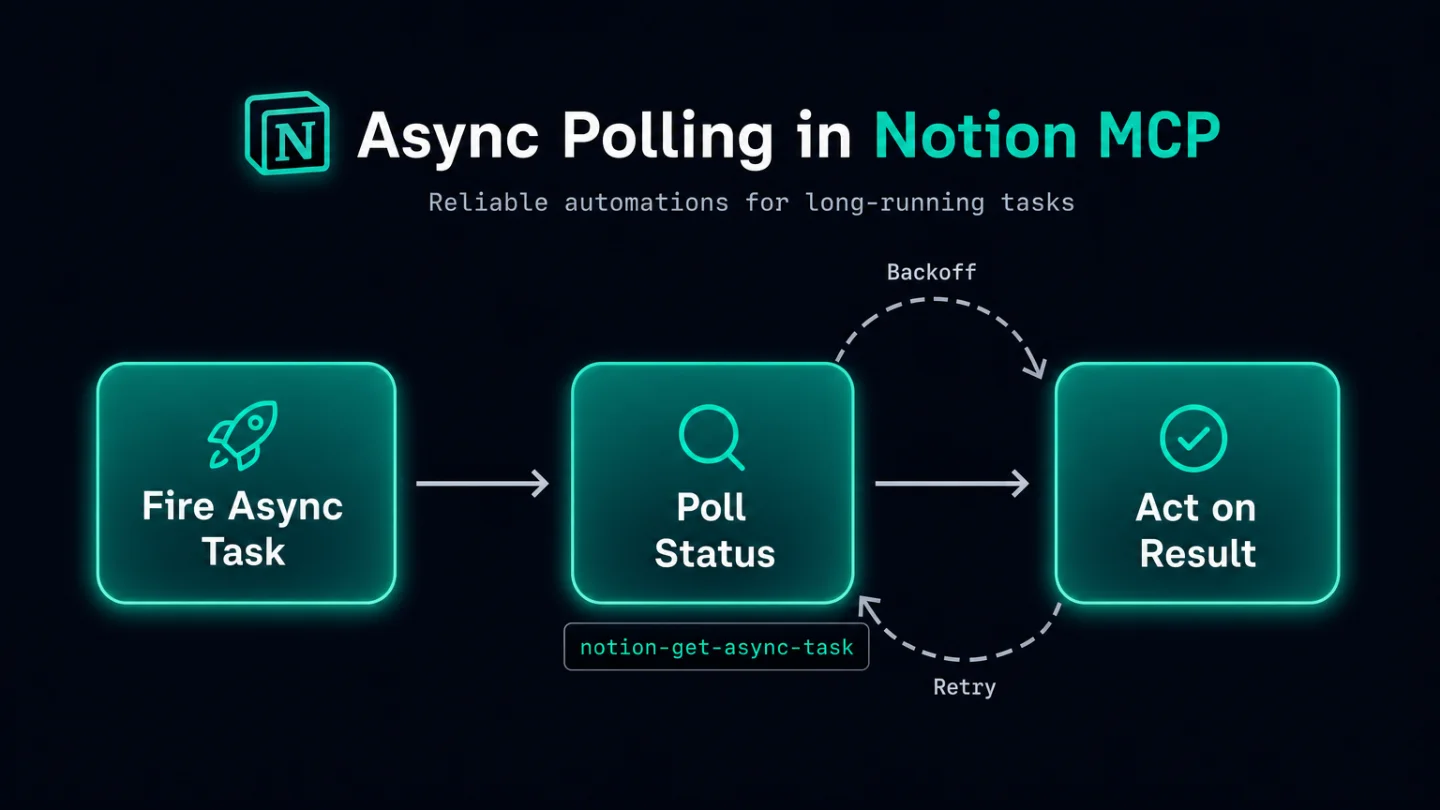
Notion shipped `notion-get-async-task` on June 25, 2026 — the first MCP polling tool for long-running operations. Learn the three-tool async pattern (fire → poll with exponential backoff → act on result), a concrete sprint-template duplication workflow, three stitching points across Workers, n8n, and Notion Automation property handoffs, and four gotchas including the undocumented `async_task` response schema.

Until today, every call you made to
notion-duplicate-page or notion-create-pages via MCP was a blocking operation — your AI agent sat and waited for the full duplication to finish before moving on. For small pages that's fine. For a sprint template with 50 sub-tasks, it's a reliability cliff: long-running calls hit client timeouts, retry logic gets complicated, and the whole automation stalls.As of June 25, 2026, Notion MCP ships a new tool that flips the model:
notion-get-async-task. 1 You fire the heavy operation in async mode, hand the task ID to a polling loop, and only act on the result once the task reports succeeded. The agent stays responsive the entire time.Prerequisites
| Requirement | Detail |
|---|---|
| Notion plan | Free or above (the two originating tools have no plan gate; check your MCP server's tool list) |
| MCP client | Claude Desktop, Cursor, or any client that supports the @notionhq/notion-mcp-server |
notion-mcp-server | Latest version (tool added June 25, 2026 — update the server if you installed it before this date) |
How the three-piece pattern works
The new async workflow involves three MCP tools working in sequence: 2
- Originating tool (
notion-duplicate-pageornotion-create-pageswithallow_async: true) — starts the operation and immediately returns anasync_taskobject containing atask_idand a suggested backoff interval. - Polling tool (
notion-get-async-task) — accepts thetask_idand returns the task's current status. - Downstream action — triggered only when the polling response carries
"status": "succeeded".
The five possible statuses from
notion-get-async-task are queued, running, retrying, succeeded, and failed. 2 A successful response includes the operation's result (the duplicated page ID, the created page IDs, etc.). A failed response includes the error.Step-by-step: async duplicate a sprint template, then populate it
Here's a concrete PM workflow: duplicate a sprint template page at the start of each sprint, wait for the duplicate to finish, then write the new sprint's goal into the page title and create a set of initial tasks under it.
Step 1 — Fire the duplication in async mode
Call
notion-duplicate-page with allow_async: true and pass your sprint template's page ID. The tool returns immediately:{
"async_task": {
"task_id": "a1b2c3d4-...",
"suggested_backoff_ms": 1000
}
}Store
task_id. Note the suggested_backoff_ms — Notion is telling you how long to wait before your first poll.Step 2 — Poll with backoff until
succeededCall
notion-get-async-task with the task_id. Check the status field:queued/running/retrying→ wait the suggested interval, then poll again.succeeded→ extract the duplicated page ID from the result and continue.failed→ read the error, surface it to the user, and stop.
A minimal polling loop in pseudocode:
taskId = async_task.task_id
backoff = async_task.suggested_backoff_ms

loop:
  wait(backoff)
  result = notion-get-async-task(task_id: taskId)
  if result.status == "succeeded": break with result
  if result.status == "failed": raise result.error
  backoff = min(backoff * 1.5, 10000)  # cap at 10 seconds
Use exponential backoff capped at a reasonable ceiling (10 seconds works for most Notion operations). The first poll often comes back
running for large template duplications.Step 3 — Act on the completed result
Once the status is
succeeded, pull the new page ID from the result object. Then:- Call
notion-update-page-propertiesto write the sprint name and goal into the duplicated page's title and description properties. - Call
notion-create-pages(synchronously this time, since individual task pages are small) to create the initial sprint tasks as children of the new sprint page.
The full round trip — from firing the async duplicate to writing the first task — runs without blocking the agent's execution thread.
Where to stitch this into a larger automation
The async pattern is most useful at the boundary between a slow Notion operation and a downstream chain that depends on its output. A few practical stitching points:
- Workers trigger: once the duplicated page exists, a
page.createdWorkers trigger on the sprint database can fire a second agent to auto-populate tasks from a backlog. - n8n polling node: if you're orchestrating from n8n, the
notion-get-async-taskcall maps to a Loop node checking a stored task ID on a timed interval, with a Switch node branching on thestatusfield. - Notion Automation (property-based handoff): write the
task_idto a Text property on a tracking page when you fire the async call. A separate Custom Agent, triggered by a different schedule, reads that property, polls, and clears it on success — a stateless handoff pattern that survives session restarts.
Gotchas
No official schema for the full
async_task response. The Notion MCP docs describe the behavior in prose but don't publish a complete JSON schema. The task_id and suggested_backoff_ms fields are confirmed; treat any additional fields as undocumented until Notion publishes a spec. 2allow_async: true is only on notion-create-pages and notion-duplicate-page. Other write tools (notion-add-content-to-page, notion-update-page-properties) don't expose an async variant. Trying to pass allow_async: true to an unsupported tool will have no effect or return an error depending on the MCP client's parameter handling.Zero community validation as of June 25. This shipped today. No community tutorials, no edge-case reports, no battle-tested retry logic. The polling pattern itself is straightforward, but treat the first few runs as exploratory — build in logging so you can see actual status sequences and backoff durations.
Update your
notion-mcp-server first. If you installed the server before today, notion-get-async-task won't appear in your tool list. Run npx @notionhq/notion-mcp-server@latest to get the updated catalog. Claude Desktop users will need to restart the app after updating the server config.The simplest place to start: fire an async duplication of any existing template page, capture the
task_id, and call notion-get-async-task manually twice — once immediately and once after the suggested backoff. Seeing a live running → succeeded sequence in your own workspace is the fastest way to understand the timing before building logic around it.Cover image: AI-generated illustration.
Add more perspectives or context around this Post.