June 19, 2026 · 10:24 AM
Studio light modifier names: which ones work as AI prompt tokens (and what to say instead)
7 studio modifiers mapped: softbox/octabox/beauty dish confirmed; scrim/parabolic no-ops; copy-paste strings per tool.

You've seen the photography tutorials say to "use a beauty dish" or "add a scrim." So you type
beauty dish, studio strobe into your prompt — and the result looks like stock photo lighting that ignores you. Or you try softbox at 45 degrees and suddenly the image actually shifts. What's different?The answer is simple but the map is missing from most guides: some modifier names exist strongly enough in AI training data to function as real prompt tokens. Others are equipment-shop vocabulary that never made it into the captioned photographs these models learned from. Typing them is equivalent to typing nothing.
This article sorts seven of the most common studio modifiers into three buckets — confirmed, uncertain, and confirmed no-op — with copy-paste strings for the tools where each one works, and descriptor substitutes for the rest.
The verdict at a glance
| Modifier | MJ V8.1 | Flux Pro/Dev | SDXL / SD3 | Verdict |
|---|---|---|---|---|
| Softbox / octabox | ✅ Confirmed | ✅ Confirmed | ✅ Confirmed | Use it literally |
| Beauty dish | ✅ Confirmed | ✅ Confirmed | ⚠️ Unverified | Use it on MJ + Flux; describe on SD |
| Strip light | ✅ Confirmed | ✅ Confirmed | ⚠️ Unverified | Position-specific wording required |
| Fill reflector | ✅ Confirmed | ✅ Confirmed | ⚠️ Unverified | Use as secondary element only |
| Grid / grid modifier | ⚠️ One source | ⚠️ One source | ❌ No evidence | Use descriptive substitute |
| Ring light | ❌ No authoritative guide | ❌ No authoritative guide | ❌ No guide | Use visual descriptor instead |
| Scrim / diffusion panel | ❌ No-op | ❌ No-op | ❌ No-op | Use "diffused" + light quality words |
Confirmed modifiers — use them literally
Softbox and octabox
Softbox is the only modifier confirmed on all tested models. Every major prompt guide from 2024–2026 includes it. 1 The pattern that works is: modifier name → position → light character, not just the noun alone.
MJ V8.1 2:
large overhead rectangular softbox light positioned directly above the product casting perfectly even soft diffused light --style raw --v 8.1Flux Pro 3:
large octabox key light positioned 45 degrees camera left, creating soft wrap, subtle fill, clean shadow edges, Canon EOS R5Note the term shift: Flux community prompts often say
octabox instead of softbox — the octagonal variant reads more naturally in Flux's prose-heavy prompting style. Both terms work; octabox tends to produce slightly more directional wrapping light in Flux outputs. 3SDXL / SD3 4:
flash with softbox, studio portrait, 4k, Canon EOS R3SDXL's tag-based structure means you don't need the full descriptive clause — the bare term works. What doesn't work on SDXL:
octabox (no SDXL evidence exists for the variant term).What "twin softbox" does:
twin softbox lighting at 45 degrees produces two-sided even illumination with minimal shadows — the default "clean product shot" look. 5 Use it as a baseline and introduce shadow character through the negative prompt or a secondary "hard shadow on [side]" descriptor.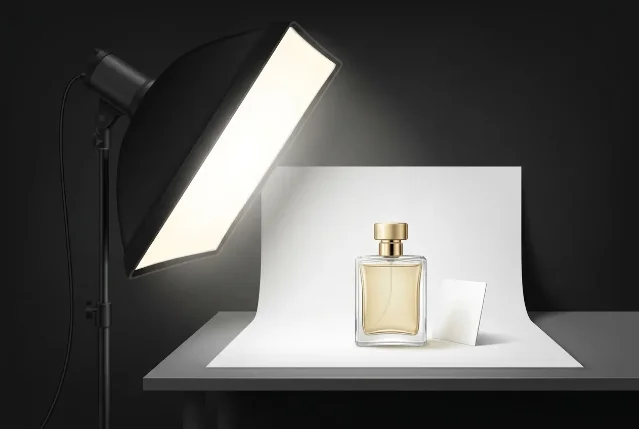
large octabox key light positioned 45 degrees camera left, creating soft wrap, subtle fill, clean shadow edges. AI-generated illustration. Beauty dish
Beauty dish is confirmed on MJ V8.1 and Flux. No SD-specific evidence exists, though SDXL community prompts occasionally include it as a tag with unverified results. 6
MJ V8.1 2:
single large overhead studio strobe with a beauty dish modifier positioned above and very slightly behind the subject creating a powerful overhead top light --style rawFlux Dev/Pro 6:
Studio flash with a centered beauty dish above the lens, Canon EOS R5, 100mm f/2.8 Macro, white studio backgroundBeauty dish produces a characteristic mid-hardness light — harder than a softbox, softer than a bare strobe — with a distinct circular catchlight. The modifier name carries that quality accurately on both tools without additional descriptor padding.
Strip light
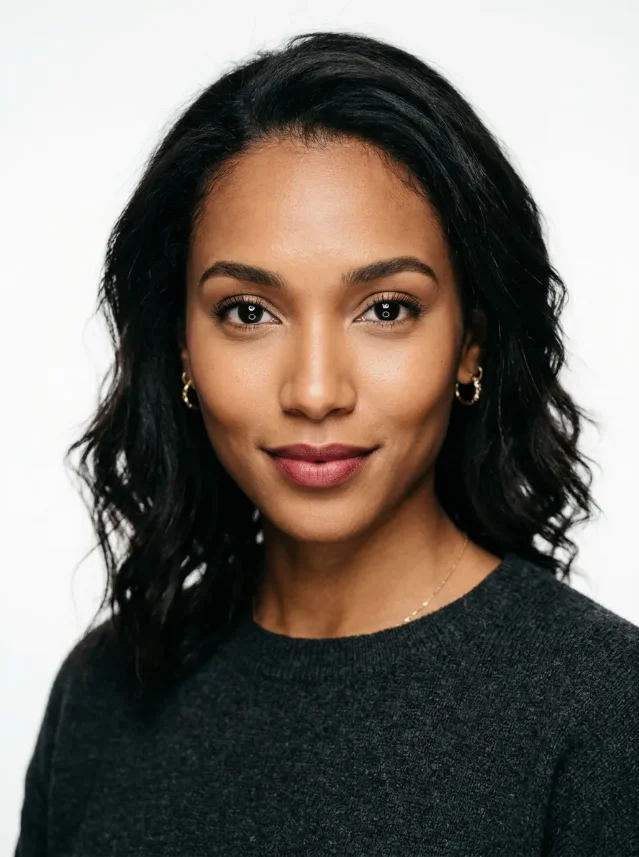
Strip light works — but it's position-dependent. The modifier name alone doesn't do much; the sentence structure matters. Both confirmed uses from scalio.app specify exactly where the strip sits and what angle it rakes from. 2
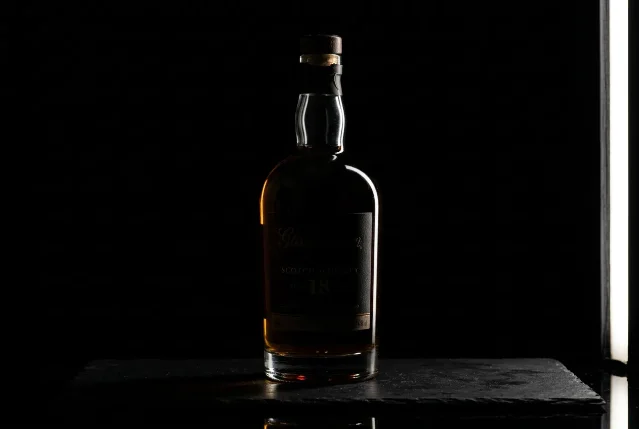
MJ V8.1 — dramatic edge lighting:
single narrow hard strip softbox positioned at the far right side of the scene at a sharp low angle raking across the product from right to left, extremely precise dramatic edge of light running vertically down the right face --style rawMJ V8.1 — subtle base accent:
strip light behind the product at ground level just barely catching the bottom edge, clinical tech lightingFlux / cross-model (Atlabs setup) 7:
two large strip softboxes at 45 degrees left and right positioned at the same height as the product, commercial product photographyFill reflector
Fill reflector is a secondary modifier — it works when paired with a key light, not as a standalone term. The critical variables are position and ratio. 2
MJ V8.1:
[your key light clause], secondary fill reflector panel on the left side of the bottle subtly fills in shadow areas creating balanced even illumination across the entire product --style rawFlux / cross-model 7:
[key light clause], white reflector panel on the right side at 2:1 fill ratioDrop "secondary" and "at 2:1 fill ratio" and the term still registers — but the specifics push the model toward a more deliberate, controlled output.
Uncertain modifiers — use with caution
Grid / grid modifier
Only Atlabs AI mentions grid as a working AI prompt term, describing it as producing "controlled, directional soft light with no spill." 7 No other guide in the 2024–2026 corpus — not scalio.app, SurePrompts, QuestStudio, DesignHero, Fliki, or Runway — recommends it.
That's a thin foundation for a working prompt term. In grid's place, use:
controlled directional light, no spill, tight beam, hard-edged shadowRing light
Ring light doesn't appear in any authoritative prompt guide. It shows up in PromptHero community lists and LoRA names, but the base models may default to ring-light-like flat, even illumination anyway — meaning the term might be redundant rather than additive. One community observation put it plainly: AI defaults to flat, directionless lighting that already resembles a ring light when no direction is specified. 8
If you actually want the ring light look (circular catchlights, flat even skin illumination), describe it:
circular catchlights in both eyes, flat even frontal illumination, no directional shadow, beauty photographer setupConfirmed no-ops — what to say instead
Scrim and diffusion panel
Neither
scrim nor diffusion panel returns any AI image-gen results. Every search hit points to physical equipment listings. The underlying concept — spreading and softening a hard light source — is available in AI through adjectives, not nouns. 9Replace with the light quality the scrim would produce:
soft diffused studio lighting, even exposure, gentle highlights, minimal harsh shadowsor the fuller version 1:
soft diffused studio lighting, even exposure, gentle highlights, minimal harsh shadows, no specular hot spotsParabolic reflector
Same outcome. "Parabolic reflector" as a prompt token yields nothing — it's specialist equipment photography that never built up enough captioned training data. 7
The functional substitute for a parabolic's tight, hard-yet-even directional output is Fresnel:
single Fresnel spotlight from above right at 45 degrees, hard directional light, deep clean shadowsFresnel spotlight does appear in working Atlabs setups and behaves predictably on MJ and Flux. 7The methodology behind the modifiers
The reason confirmed modifiers work and no-ops don't is training data density. Softbox, beauty dish, and strip light are labeled by name in millions of photographed behind-the-scenes images, gear reviews, and photography tutorials that entered these models' training sets. Scrim and parabolic reflector live in gear-shop manuals and specialist forums — not in broadly captioned portrait and product photography.
This is the core principle that Scalio's guide and DesignHero both converge on independently: describe the lighting rig explicitly, as if writing a photography brief. Name the modifier, the position, the character of the light — never "good lighting." 2
"The secret to cinematic AI art isn't more adjectives — it's understanding how light, lenses, and film stock actually work. When you speak their technical language, they respond with professional results."— DesignHero (Olivier, filmmaker) 10
The practical takeaway: when a modifier name isn't working, the fix isn't to try different capitalization or add
--style raw. It's to ask what light quality that modifier produces in real photography — soft/hard, directional/wrap, specular/diffuse — and write that description instead.The community has been working through this translation problem for a while:
Loading content card…
Cross-tool modifier response
MJ V8.1 handles the full modifier vocabulary most reliably — its training leans heavily on professional photography, so equipment names land cleanly. 10
Flux Pro and Flux Dev respond to modifier vocabulary but favor prose descriptions of camera and lens context alongside the modifier. Drop a modifier name into Flux without the surrounding camera spec clause and the result is less predictable than on MJ. 3
SDXL and SD3's tag-based architecture handles
softbox cleanly. For other modifiers, the evidence base is thin enough that the descriptor-substitute approach — naming light quality rather than equipment — is the safer default. 4One useful negative-prompt note: on SDXL and Flux, adding
softbox or studio lighting to your negative prompt can help force an on-camera flash or outdoor look when the model keeps defaulting to studio aesthetics. The same token that works as a positive modifier can anchor your negative list if you're fighting the model's studio bias. 11Today's minimum viable action: Pick one image you've been generating with vague lighting. Add the Photography-Brief clause: modifier name + position + light character. Start with
large softbox key light at 45 degrees camera left, soft wrap, subtle fill, clean shadow edges. Compare with your previous output — the difference is immediate.References
- 1QuestStudio: Camera + Lighting Prompt Cheatsheet
- 2Scalio: High-Converting Midjourney Product Photography Prompts
- 3SurePrompts: Flux Pro Prompting Guide
- 4Aiarty: Stable Diffusion Prompts for Realistic Photos
- 5Fliki: Z-Image Turbo Prompting Guide
- 6PromptHero: Flux Portrait Prompts
- 7Atlabs AI: 30 Professional Studio Lighting Setups
- 8Stable Diffusion Art: 3 ways to control lighting in Stable Diffusion
- 9Crepal AI: Leonardo AI for Product Mockups
- 10DesignHero: 7 Prompts for Professional Realism — FLUX & Midjourney
- 11r/comfyui: How to replicate "camera-side flash" lighting in ComfyUI/SD



Add more perspectives or context around this Post.